

Is Cloudways the best managed cloud hosting provider in 2025? We tested performance, features, pricing, and support. Here’s everything you need to know.
⭐ Quick Verdict: Cloudways is an excellent managed cloud hosting platform that offers the perfect balance of flexibility, performance, and ease of use. Starting at $14/month, it’s ideal for businesses, developers, and agencies who want VPS-level power without the technical complexity.
Table of Contents
- What is Cloudways?
- Key Features of Cloudways
- Cloudways Performance & Speed
- Cloudways Pricing Plans
- Pros and Cons
- Who Should Use Cloudways?
- How to Get Started
- Cloudways vs Competitors
- FAQs About Cloudways
- Final Verdict
What is Cloudways?
Cloudways is a managed cloud hosting platform that simplifies the deployment and management of web applications on leading cloud infrastructure providers. Unlike traditional web hosting, Cloudways acts as an intermediary layer between you and major cloud providers, handling all the technical server management while giving you a user-friendly interface to control your hosting environment.
Founded in 2011 and acquired by DigitalOcean in 2022, Cloudways has grown to host over 570,000 websites for more than 100,000 customers worldwide. The platform specializes in PHP-based applications including WordPress, WooCommerce, Magento, Laravel, and other popular CMS platforms.
What Makes Cloudways Different?
The core differentiator of Cloudways is its modular approach to cloud hosting. Rather than forcing you into preset plans, Cloudways lets you:
- Choose your cloud provider: DigitalOcean, Vultr, Linode, AWS, or Google Cloud Platform
- Select your server size: Scale resources up or down as needed
- Pick your data center location: Choose from 65+ global data centers
- Host unlimited applications: Run multiple websites on a single server
- Pay only for what you use: Hourly billing with no long-term contracts
Key Features of Cloudways
| Feature | Description |
|---|---|
| ThunderStack | Optimized stack with Apache, NGINX, Varnish, Memcached, PHP-FPM, and Redis for maximum performance |
| Cloudflare Enterprise CDN | Enterprise-level CDN via Cloudflare with DDoS protection, WAF, and image optimization for 70%+ faster load times |
| Free SSL Certificates | One-click Let’s Encrypt SSL installation with automatic renewal |
| Staging Environment | Free staging sites with one-click push/pull to production |
| Automated Backups | Automatic daily backups with up to 4-week retention plus on-demand backups |
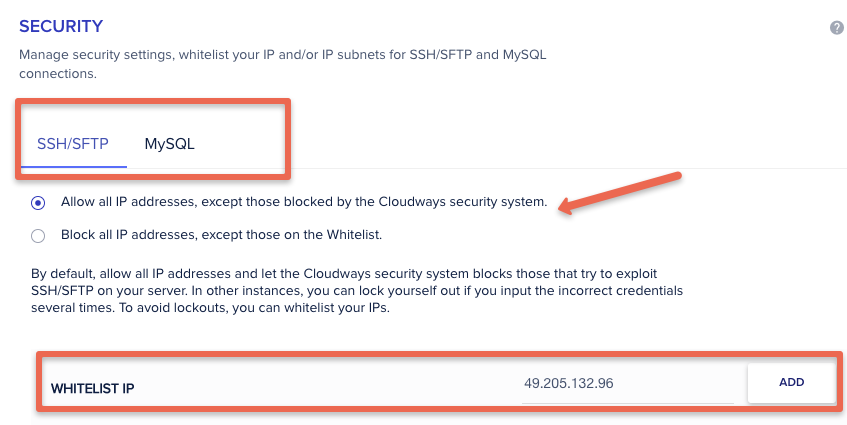
| 24/7 Expert Support | Live chat, ticket support, and phone support with knowledgeable technicians |
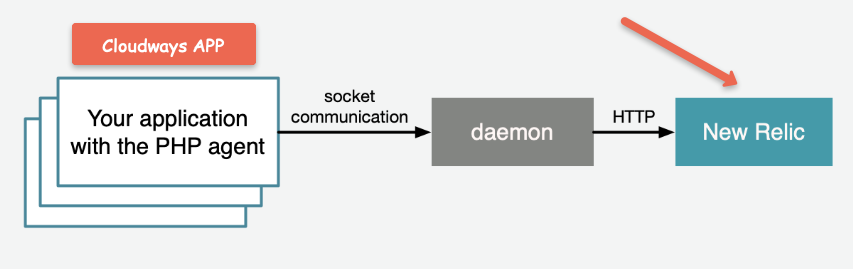
| Server Monitoring | Real-time monitoring with New Relic APM integration for deep performance insights |
| Git Integration | Deploy code directly from GitHub, GitLab, or Bitbucket |
| Free Migration | Free website migration service with expert assistance |
| Team Collaboration | Multi-user access with customizable permissions for agencies |
Cloudways Performance & Speed
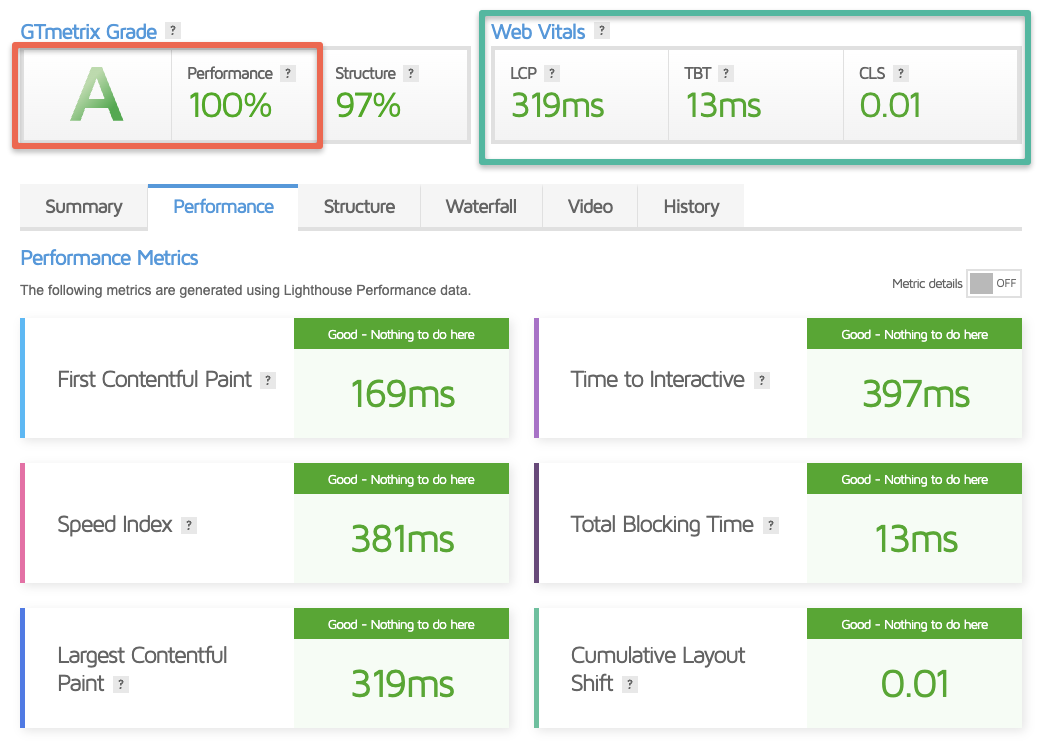
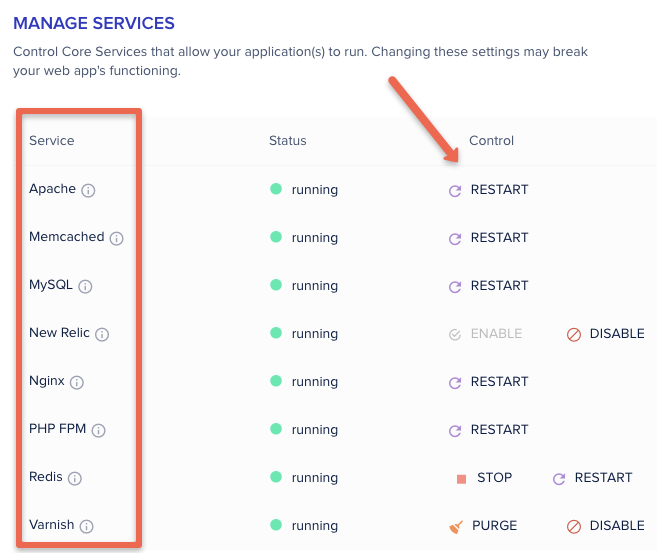
Performance is where Cloudways truly shines. The platform utilizes an optimized technology stack they call ThunderStack, which combines multiple caching layers and server optimizations.
Technology Stack Components
- NGINX: High-performance web server for handling concurrent connections (nginx.org)
- Apache: Application server for processing PHP requests
- Varnish Cache: Full-page caching at the origin server (varnish-cache.org)
- Memcached/Redis: Object caching for database query optimization (redis.io)
- PHP-FPM: FastCGI Process Manager for improved PHP handling
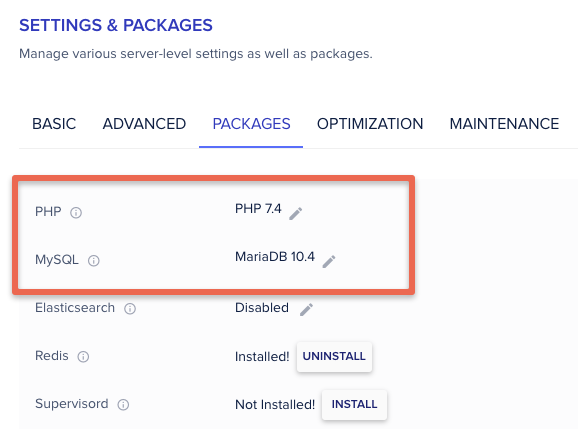
- MySQL/MariaDB: Optimized database configurations
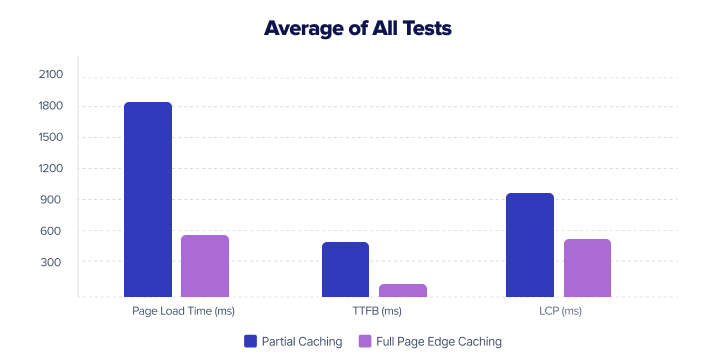
Performance Test Results
In independent performance testing using GTmetrix and Google PageSpeed Insights, Cloudways-hosted sites consistently achieve:
| Metric | Result |
|---|---|
| GTmetrix Grade | A (95%+) |
| Time to First Byte (TTFB) | < 200ms |
| Google Core Web Vitals | Passed |
| Uptime Guarantee | 99.99% |
| Load Time with Edge Caching | 70% faster than origin |
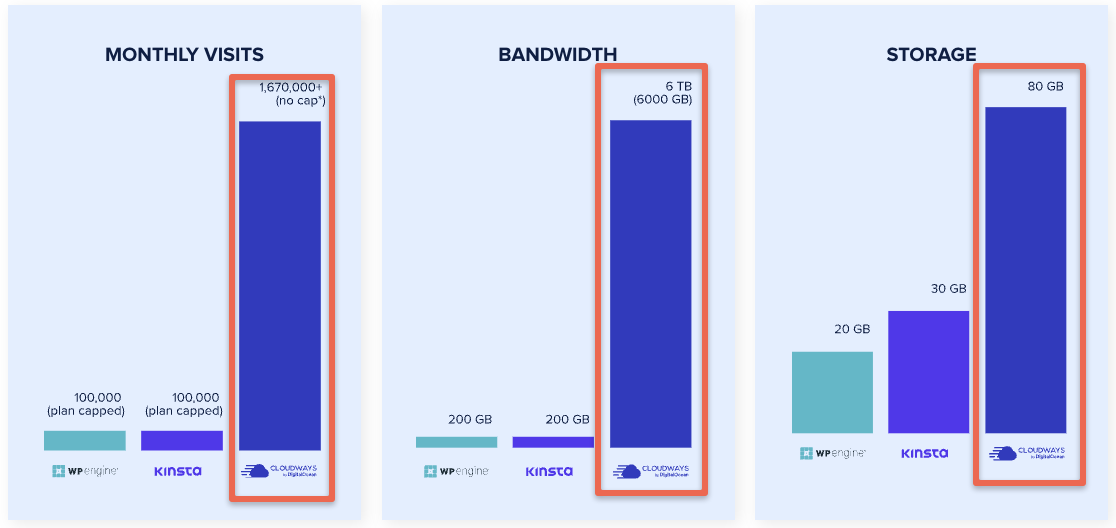
Cloudways Pricing Plans (2025)
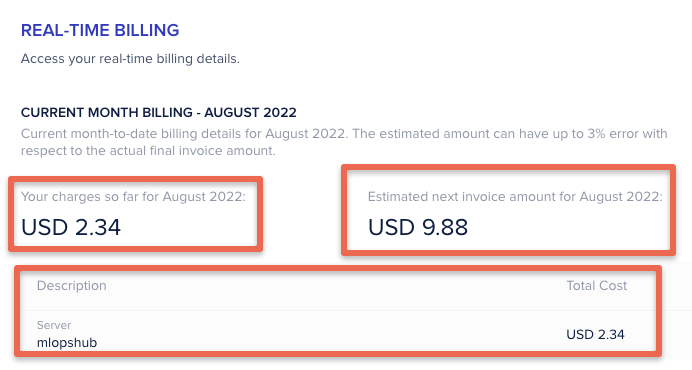
Cloudways uses a pay-as-you-go pricing model with hourly billing. This means you only pay for what you use, with no long-term contracts required. View the full Cloudways pricing page for the latest rates. Pricing varies based on your chosen cloud provider:
| Cloud Provider | Starting Price | Best For |
|---|---|---|
| DigitalOcean | $14/month | Small to medium websites |
| Vultr | $14/month | Performance-focused sites |
| Linode | $14/month | Developers & agencies |
| AWS | $38.56/month | Enterprise & high-traffic |
| Google Cloud | $37.45/month | Enterprise & reliability |
💡 Pro Tip: Cloudways offers a 3-day free trial with no credit card required. This allows you to test the platform before committing.
Cloudways Pros and Cons
✓ PROS
- ✓ Choice of 5 cloud providers
- ✓ Excellent performance & speed
- ✓ User-friendly control panel
- ✓ Pay-as-you-go pricing
- ✓ Free SSL & staging environments
- ✓ 24/7 expert support
- ✓ Free website migration
- ✓ Unlimited apps per server
- ✓ Cloudflare Enterprise CDN
- ✓ Vertical scaling capability
✗ CONS
- ✗ No root access to servers
- ✗ No built-in email hosting
- ✗ Slightly higher than raw cloud prices
- ✗ PHP-only (no Node.js, Python)
- ✗ Off-site backups cost extra
- ✗ No built-in file manager
- ✗ Requires FTP for file access
Who Should Use Cloudways?
Cloudways is Perfect For:
- WordPress Users: Optimized WordPress hosting with one-click installations and automatic updates
- WooCommerce Stores: High-performance eCommerce hosting that handles traffic spikes
- Web Agencies: Team collaboration features and ability to manage multiple client sites
- Growing Businesses: Easy scalability to handle increased traffic without migration
- Developers: SSH access, Git integration, and staging environments for development workflows
- Bloggers & Content Creators: Fast loading times improve SEO and user experience
Cloudways May Not Be Ideal For:
- Beginners on a tight budget: Shared hosting from providers like Hostinger or Bluehost may be more cost-effective
- Non-PHP applications: If you need Node.js, Python, or other frameworks, look elsewhere
- Users needing email hosting: You’ll need a third-party email service like Google Workspace
- Those requiring root access: Consider unmanaged VPS options instead
How to Get Started with Cloudways
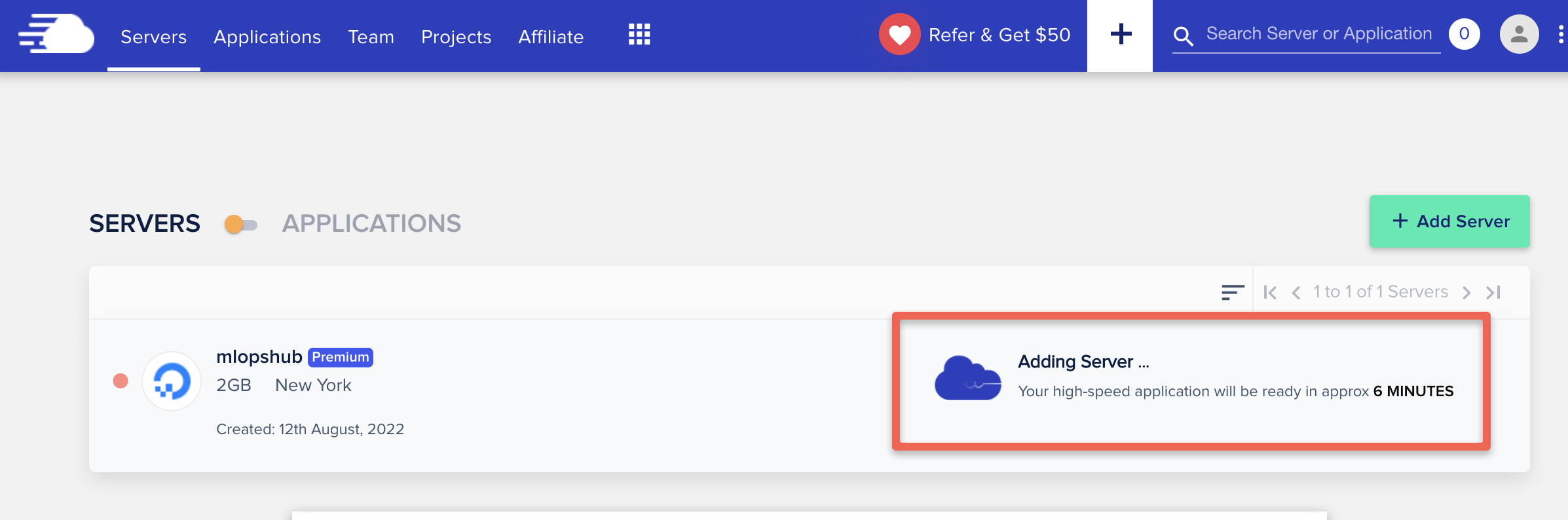
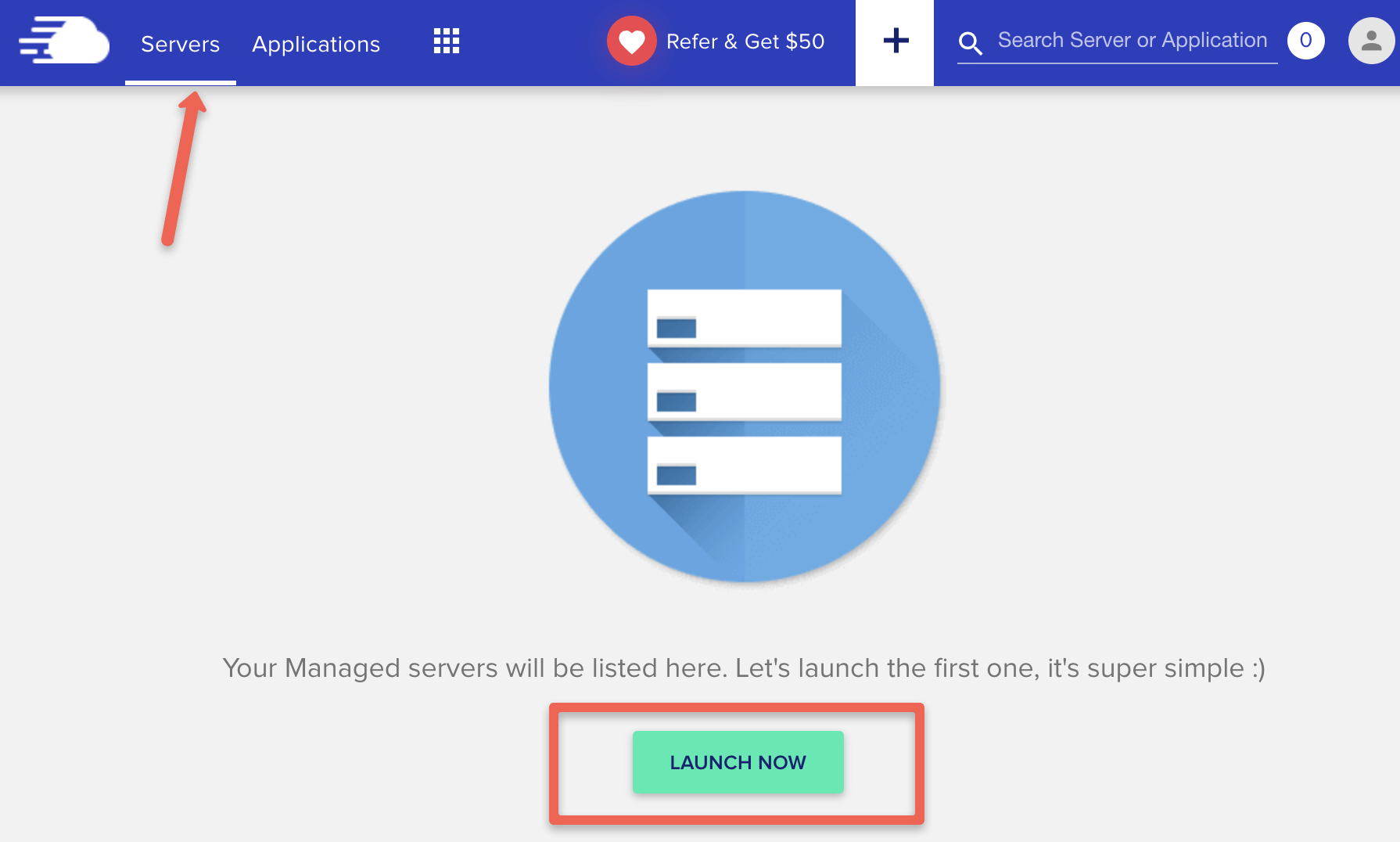
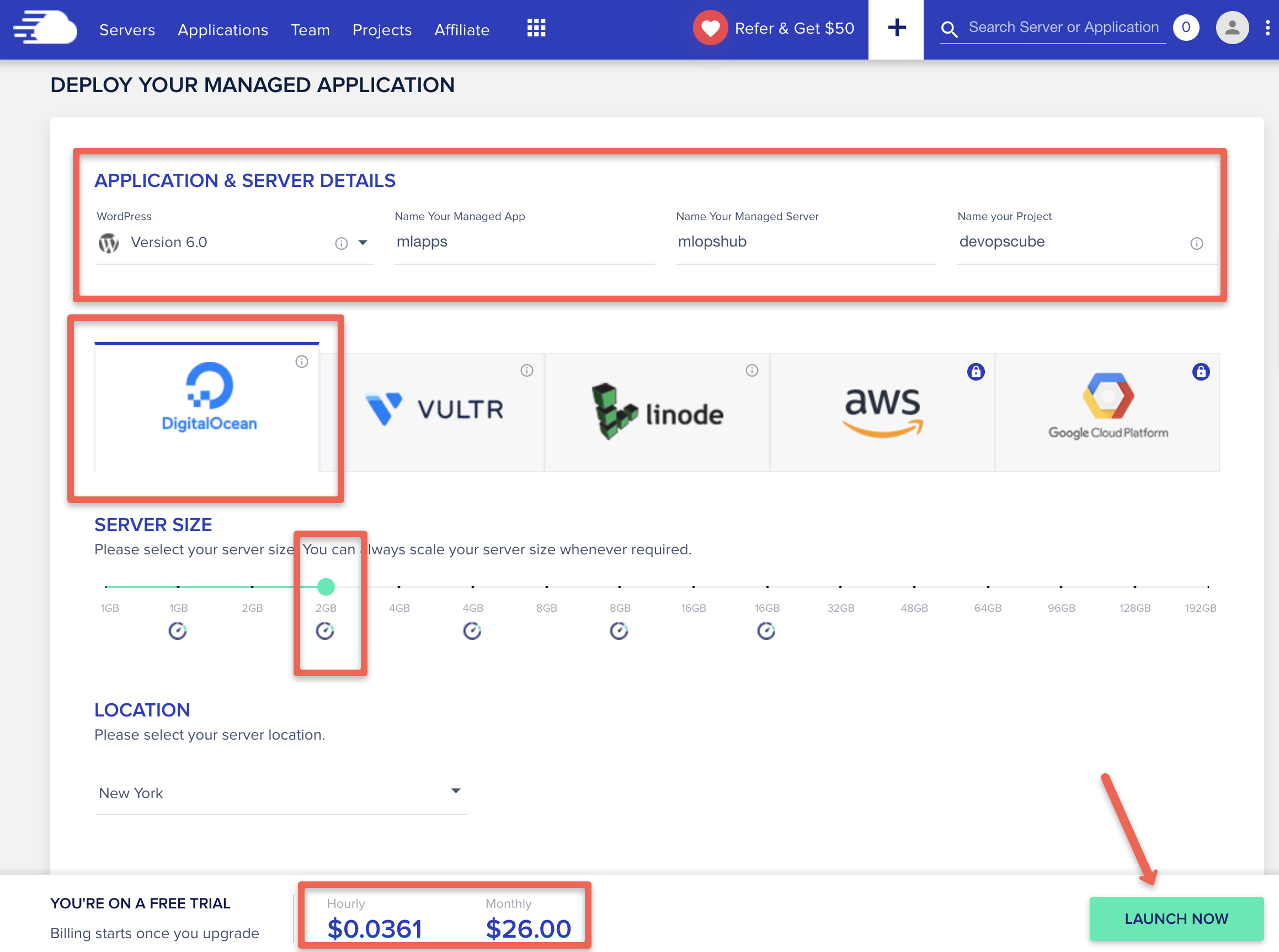
Setting up your first server on Cloudways is straightforward. Here’s a step-by-step guide:
Step-by-Step Setup Guide
- Sign up for a free trial at cloudways.com (no credit card required)
- Choose your application: Select WordPress, WooCommerce, Magento, or your preferred CMS
- Select a cloud provider: DigitalOcean is recommended for most users starting out
- Choose server size: Start with 1GB RAM ($14/month) and scale up as needed
- Pick a data center: Choose the location closest to your target audience
- Launch your server: Your server will be ready in approximately 7-13 minutes
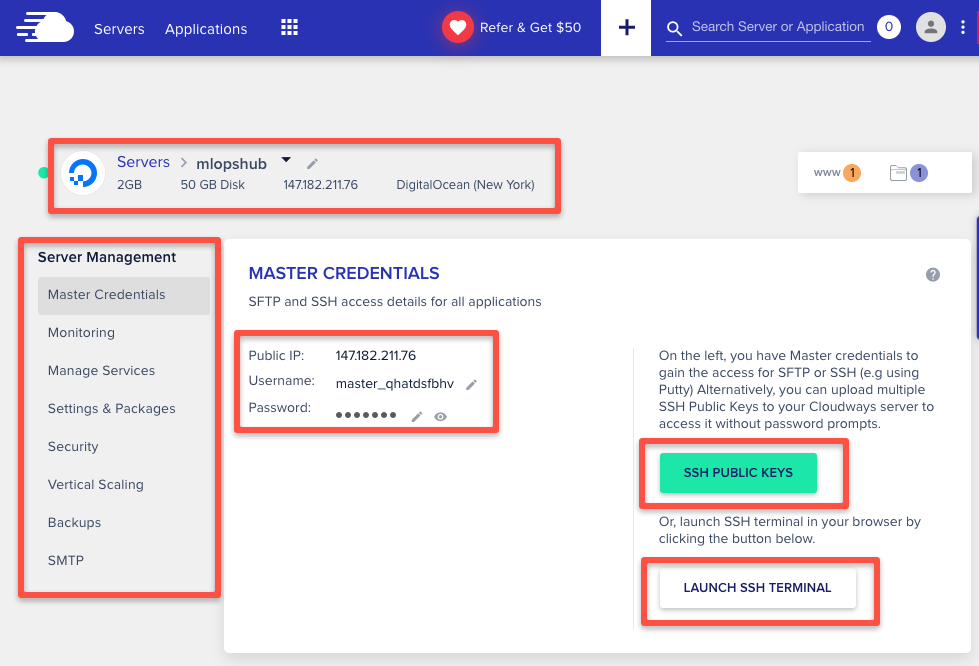
- Access your application: Use the provided temporary URL to access your WordPress admin
- Connect your domain: Point your domain’s DNS to your Cloudways server IP
- Install SSL certificate: Enable free Let’s Encrypt SSL with one click
Cloudways vs Competitors
How does Cloudways compare to other popular hosting providers like SiteGround and Kinsta? Here’s a detailed comparison:
| Feature | Cloudways | SiteGround | Kinsta |
|---|---|---|---|
| Starting Price | $14/mo | $2.99/mo | $35/mo |
| Hosting Type | Managed VPS | Shared/Cloud | Managed WP |
| Cloud Provider Choice | 5 options | Google Cloud | Google Cloud |
| Free Trial | 3 days | 30-day refund | 30-day refund |
| Unlimited Sites | Yes | Plan dependent | Plan dependent |
| Pay-As-You-Go | Yes | No | No |
| Email Hosting | No | Yes | No |
Related Reading: For more detailed comparisons, check out our guides on Best Web Hosting Providers and Best WordPress Hosting.
Frequently Asked Questions About Cloudways
1. Is Cloudways good for beginners?
Yes, Cloudways is beginner-friendly despite being a VPS hosting platform. The custom control panel eliminates the need for server management knowledge. However, if you’re looking for the absolute simplest experience, traditional shared hosting might be easier to start with.
2. Can I host multiple websites on Cloudways?
Absolutely! You can host unlimited applications (websites) on a single Cloudways server. Each application is isolated for security, and you can easily add new WordPress sites, WooCommerce stores, or other PHP applications with just a few clicks.
3. Does Cloudways offer email hosting?
Cloudways does not include built-in email hosting. They recommend using third-party email services like Google Workspace, Microsoft 365, or Zoho Mail. This is actually common practice among managed hosts, as dedicated email services offer better deliverability.
4. How does Cloudways compare to shared hosting?
Cloudways offers significantly better performance than shared hosting because you get dedicated resources on a VPS. While shared hosting is cheaper (starting at $2-5/month), Cloudways provides faster load times, better security, and more control over your hosting environment.
5. Can I migrate my existing website to Cloudways?
Yes! Cloudways offers free website migration services. They have a WordPress migration plugin for easy self-migration, or you can request their support team to handle the migration for you at no additional cost.
6. What is Cloudways Autonomous?
Cloudways Autonomous is a fully managed WordPress hosting solution built on Kubernetes that offers automatic scaling based on traffic demands. It’s designed for sites that experience significant traffic fluctuations and starts at $35/month.
7. What support options does Cloudways offer?
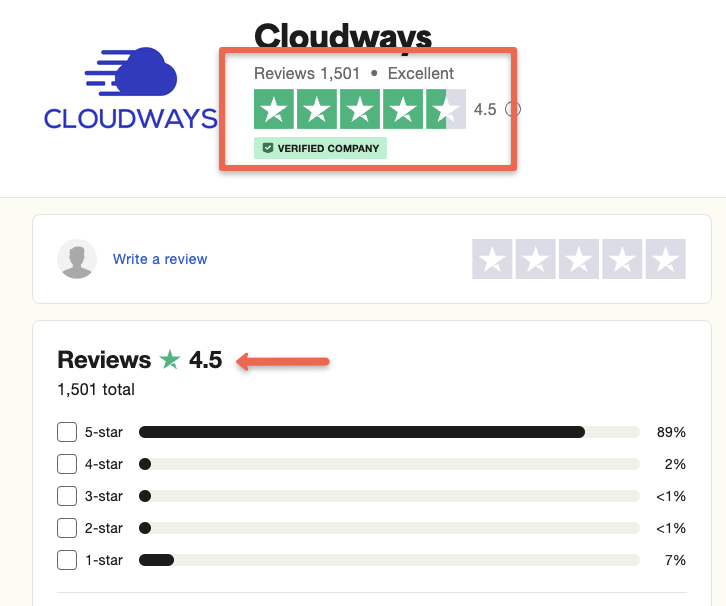
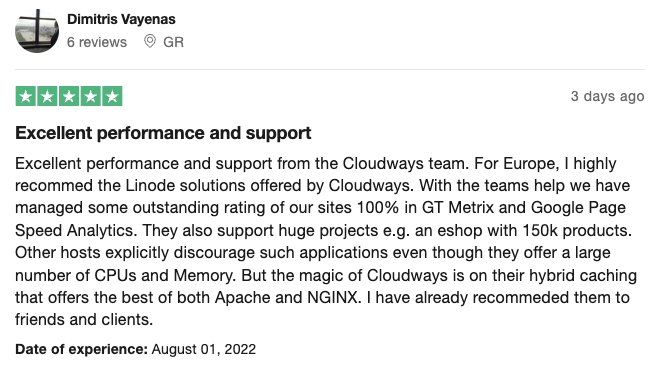
Cloudways provides 24/7/365 support through live chat and ticket system. Premium and Business tier users get priority support with faster response times. Check customer reviews on Trustpilot and G2 for real user experiences.
Final Verdict: Is Cloudways Worth It?
After extensive testing and analysis, Cloudways stands out as one of the best managed cloud hosting platforms available in 2025. It strikes an excellent balance between the power of VPS hosting and the simplicity of managed services.
The platform excels in:
- Performance and speed with its optimized ThunderStack
- Flexibility with multiple cloud provider options
- Scalability for growing businesses
- Value for money with pay-as-you-go pricing
- Support quality with 24/7 expert assistance
Whether you’re running a WordPress blog, WooCommerce store, or managing multiple client sites as an agency, Cloudways provides the infrastructure, tools, and support you need to succeed online.
🚀 Ready to Try Cloudways?
Start your 3-day FREE trial today – No credit card required!
Use promo code SAVE30 for 30% off your first 3 months
Related Articles
- Best Web Hosting Providers 2025
- Best WordPress Hosting Services
- Best WooCommerce Hosting
- Cloudways vs SiteGround Comparison
- Cloudways vs Kinsta Comparison
Disclaimer: This article contains affiliate links. We may earn a commission if you sign up through our links, at no additional cost to you. Our reviews are based on extensive testing and genuine user experience.
Last Updated: December 2025 | Author: Digital Pro Privacy Team